


BY WS.AGENCY
WITH THANKS
Thank you to accounting firm NOSCO d.o.o. for collaborating with us on the development of Lana4Mac.

All on your Mac.
Including the signature.
Prepare the application, check the details — and sign it on the same computer. Lana4Mac handles the step in Lana that used to send you looking for a Windows PC.
FROM SIGN-IN TO SIGNATURE
- 01
Sign in to Lana
Use your existing sign-in method, such as Certilia mobile.
- 02
Prepare the application
Prepare employee registrations, deregistrations and other supported applications in Lana as usual.
- 03
Sign on your Mac
Lana4Mac connects Lana to your Certilia card. Confirm the signature with your card PIN.
This is where Lana4Mac helps ✓
ONE LESS DETOUR
Your Mac for work.
And for the final signature.
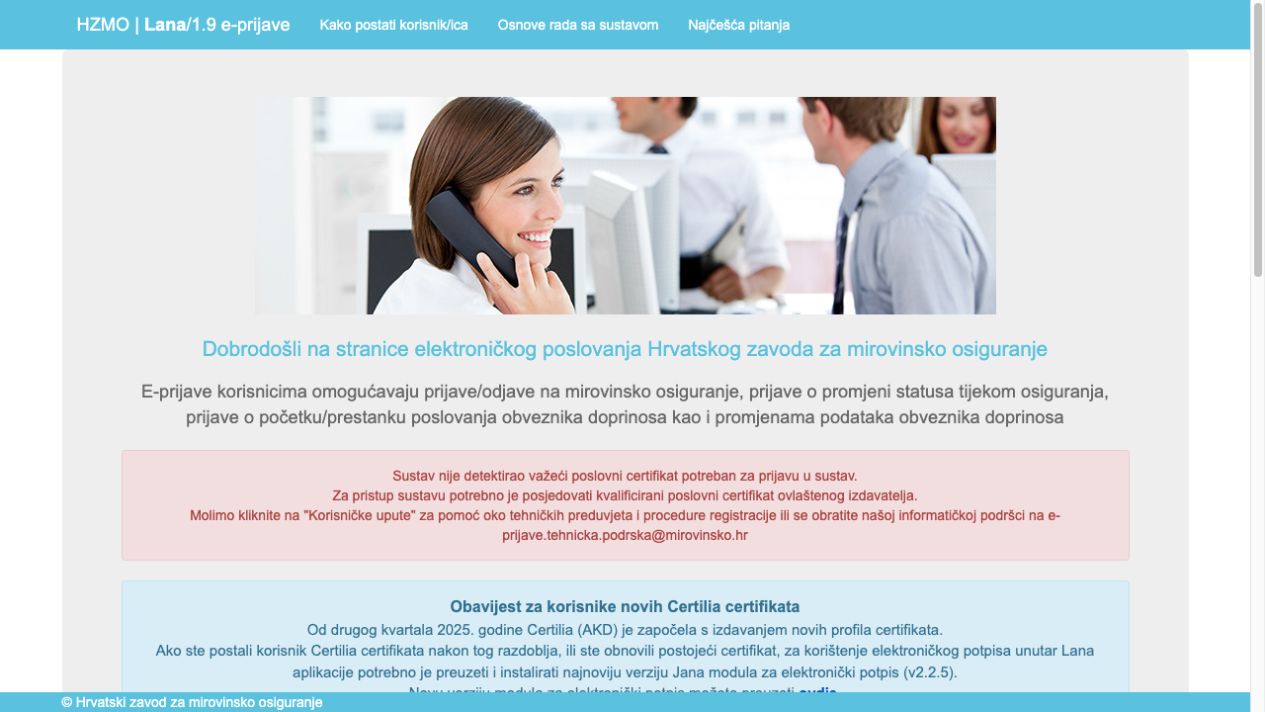
For many people, the Lana workflow only gets stuck at signing. The document is ready, but the signature means another computer, a Windows virtual machine or a colleague’s help. Lana4Mac brings that step to your Apple Silicon Mac.
The app replaces the local Jana signing host in this workflow. It does not change Lana sign-in, permissions or how the portal works. Certilia mobile and other existing sign-in methods remain separate. Signing through Lana4Mac requires a physical card and a reader.
THE STEP WE REPLACE
Same Lana. Same card. Your Mac.
Lana4Mac replaces the local Jana signing program in this workflow. The portal and your Certilia card stay part of the process.
Before: a Windows detour
- Lana portalYour e-application
- JanaSigning on Windows
- CertiliaYour card and reader
With Lana4Mac: stay on your Mac
- Lana portalYour e-application
- Lana4MacSigning on your MacThe step we replace
- CertiliaYour card and reader
Everyday e-applications
Complete employee registrations, deregistrations and other supported Lana applications.
One computer, start to finish
Prepare, review and sign on the Mac you already use for work.
Your existing certificate
Use your Certilia signing card and reader. Confirm the signature with your card PIN.
BEFORE YOU DOWNLOAD
What you need.
An Apple Silicon Mac
M1 or later, running macOS 13 Ventura or later. This package does not support Intel Macs.
A Certilia card and reader
An active signing certificate, your card PIN and installed Certilia Middleware ↗.
Chrome or Firefox
With the Jana extension for Chrome or Firefox. Safari is not part of this workflow.
READY FOR YOUR MAC
Your link,
in your inbox.
Get the app and setup instructions by email. We use your address to deliver the link, without subscribing you to a newsletter.
download requests
We count successfully sent links. This is not a count of downloaded files or installations.Good to know.
Does Lana4Mac replace Certilia mobile?
No. You still sign in to Lana as before, including with Certilia mobile if that is your current method. Lana4Mac handles local signing with a physical Certilia card and reader; it does not sign with a mobile certificate.
Can I sign any PDF or use other portals?
This release is for signing e-applications in Lana, including registrations and deregistrations. It is not a universal signing tool for every PDF or government portal. For other workflows and integrations, contact hello@ws.agency.
Who is Lana4Mac for?
For business owners, accountants and teams who prepare Lana e-applications on a Mac and want to complete the signature there too. This release supports Apple Silicon Macs, a physical Certilia card and a reader.
Where can I find setup instructions and help?
Your download email includes a link to the app and its setup instructions. For questions about your workflow or help getting started, write to hello@ws.agency.
Who develops Lana4Mac?
Lana4Mac is developed by WS Agency (WEB rješenja d.o.o.) in collaboration with accounting firm NOSCO d.o.o. It is an independent solution to a specific Mac signing problem, not an official HZMO, Certilia or Ultima product.
Need another
step connected?
Other documents, portals or business workflows? Tell us what you want to solve and we can discuss an extension.
Talk to us ↗